Create a Stylish Nickname in Seconds
NicknameStylish is a free, independent stylish name generator: type your name and copy it in hundreds of Unicode styles — bold, script, small caps, outlined — plus symbol frames, ready for Free Fire, PUBG Mobile, Instagram and Facebook. The styles are Unicode characters, not real fonts, and nothing you type is stored.
Style and symbols
Your Stylish Nicknames
Type a name above and press Generate to see your styled nicknames.
Symbols that match this name
Picked for — · tap to copy
Nicknames from the community
Shared by other visitors for —
No nicknames shared yet. Be the first to add one.
Just added
Share your own version
Add a nickname you made so other people can copy it.
424 ready to copy · tap one
Emoji (60)
Symbols (60)
Boys (40)
Girls (40)
Attitude (40)
Gaming (40)
Instagram bio (40)
Kaomoji (60)
Frames and lines (44)
Stylish name styles, grouped by where you will use them
Every result above has a one-tap Copy button. These pages go deeper on one use each.
For games
Battle-royale names have to survive a paste into a game client, so the page lists which style groups render on older phones and which ones show as empty squares.
For Instagram
Bio and display-name styles, with the symbols that stay readable in a profile header.
Names to start from
A ready-styled version of a common name is the quickest way to see how a style looks on real letters.
vicky stylish name · kajal stylish name · salman stylish name · saurabh stylish name · dark stylish name · rajesh stylish name · sachin stylish name · piyush stylish name · shreya stylish name · priyanka stylish name · hassan stylish name · happiness stylish name · criminal stylish name
Count the characters before you paste
A game or profile box counts characters, not letters. Plain styled letters keep the length of your name, but a combining effect adds a mark after every letter: a six-letter name with a strikethrough becomes twelve characters, so strikethrough costs double while a dot above or below does not. Each game sets its own name limit and changes it from time to time, so read the limit in the game's name box before you save.
Tested on: the 46 style tables were run on one test word on 13 August 2026. A per-app check in Free Fire, BGMI and Instagram is not logged yet, so no app is listed as verified. Method and team: about NicknameStylish.
Popular Symbols
Pick symbols to wrap your nickname
Build Your Nickname
Combine a prefix, your name and a suffix
Can't Decide?
Get a random stylish nickname
Your Favorites
Nicknames you saved on this device
Tap the heart on any result to keep it here.
336 Copy-Ready Emoji & Kaomoji
Tap any card to copy it.
Most Generated Names — Last 28 Days
Counted from names people actually created with this generator, updated daily.
| # | Name | Times created | |
|---|---|---|---|
| 1 | Z!xxu | 9 | |
| 2 | A. M | 9 | |
| 3 | 爱 | 9 | |
| 4 | Lord hanuman | 9 | |
| 5 | NUSHI | 8 | |
| 6 | Mailyo | 8 | |
| 7 | Tharanish | 7 | |
| 8 | BA56 | 7 | |
| 9 | SIBEK | 7 | |
| 10 | A | 6 | |
| 11 | 『REX9』 | 6 | |
| 12 | Maggy shiku | 6 | |
| 13 | ☠︎︎Monster☠︎︎ | 5 | |
| 14 | Bamsi780 | 5 | |
| 15 | SHOAIB استاد | 5 | |
| 16 | ✶⋆.˚ Muir‼ ️ | 4 | |
| 17 | BENAMAR | بن عمر | 4 | |
| 18 | OP Rahul | 4 | |
| 19 | Wakil🇪🇺▄︻デ══━一💥 | 4 | |
| 20 | My nanhi si jaan is | 4 | |
| 21 | #257 | 4 | |
| 22 | Poni | 3 | |
| 23 | 千〇X丨Sããd | 3 | |
| 24 | SH | 3 | |
| 25 | choice: 𓆩𝑺𝒉𝒂𝒉𝒃𝒂𝒛𓆪 🖤 | 3 | |
| 26 | ZEX! | 3 | |
| 27 | 𝒀𝒐𝒓𝒖𝒊𝒄𝒉𝒊 | 3 | |
| 28 | GOLU | 3 | |
| 29 | PREZIDENTTYG | 3 | |
| 30 | 320 | 3 |
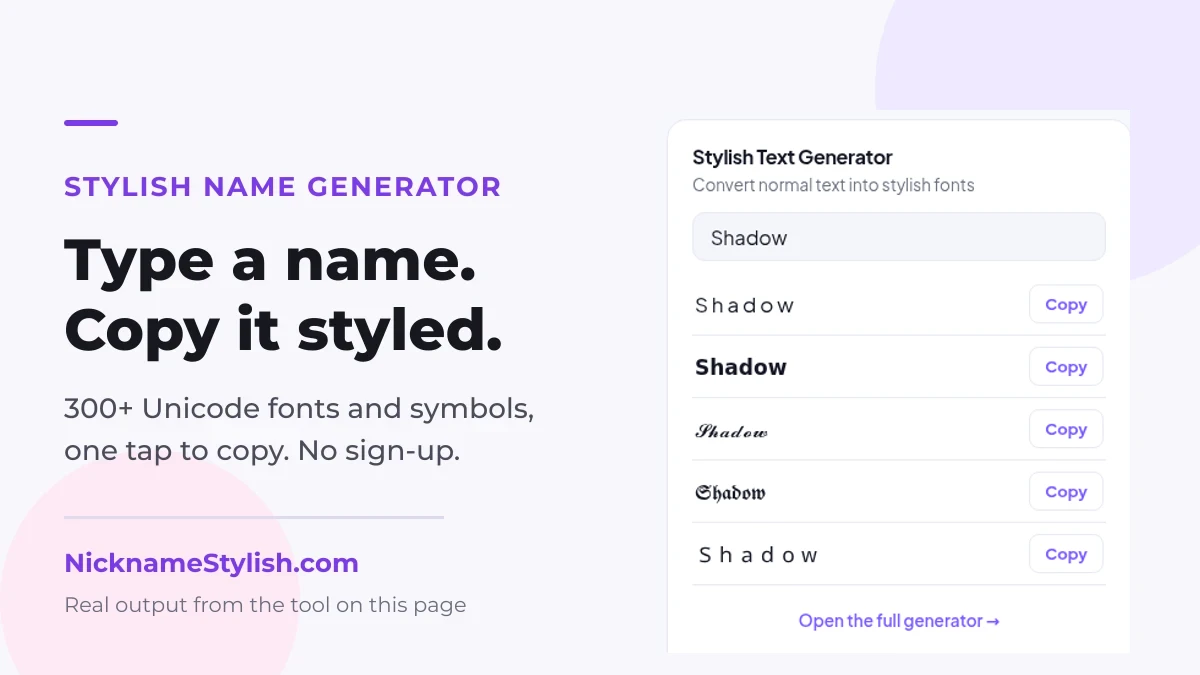
What is a Stylish Nickname?
A stylish nickname is a decorated name that uses special characters, symbols and fancy Unicode fonts to make your name look unique and attractive. It works in games, on social platforms and in online profiles.
How to Create a Stylish Nickname
Type your name or any text you want to transform.
Select a style or decide where the symbols go.
Scroll through every variation the generator returns.
Copy your favourite nickname and paste it anywhere.
Frequently Asked Questions
A stylish nickname is a normal name rewritten with Unicode letters and decorated with symbols, so it looks different from plain text while still being copy-pasteable.
Type your name in the generator, pick a style, choose where symbols go, then copy the version you like.
Yes. Every result, symbol and emoji on this page copies to your clipboard with one tap.
Most games accept Unicode names, but some block certain characters. If a name is rejected, try a version with fewer symbols.
Use Build Your Nickname to combine a prefix, your name, a middle symbol and a suffix into a combination nobody else has.
How the stylish name generator works
A stylish name maker does not install a font on your device and does not turn your name into a picture. It swaps each letter for a different Unicode character that already looks bold, cursive or bubbled, then hands you the result as ordinary text. That is the whole trick, and it is why the styled name survives a copy and paste into a game lobby, a bio or a chat window.
1. You type a name
Anything goes in the box: a first name, a gamertag, a clan tag. The generator reads it letter by letter, so short names and long ones behave the same way.
2. Each letter is mapped to a look-alike
The letter a becomes a different character in every style — one from the mathematical alphabet, one from small caps, one from the circled block. Nothing is invented; each replacement is a character that already exists in the Unicode standard.
3. Symbols wrap the result
Brackets, stars and hearts are added on either side. These are separate characters too, which is why every one of them counts against a name-length limit.
4. You copy plain text
What lands on your clipboard is text, not an image. It can be searched, selected and pasted anywhere a normal name is accepted — and a screen reader will still try to read it, which is worth remembering before styling a name you use everywhere.
Looking for nickname ideas rather than a specific name? Leave the box on a short word you like and scroll the style list — the same word in 48 styles is usually a faster way to find something that fits than staring at a blank field. The community list further down shows what other people actually kept.
Stylish Names, Fancy Fonts and Symbols — A Complete Guide
Nickname generators turn a plain username into a decorated one by mapping each letter to a Unicode equivalent and wrapping it in symbols. Because the result is still text, it can be pasted anywhere a normal name is accepted: game lobbies, chat apps, profile bios and comment sections.
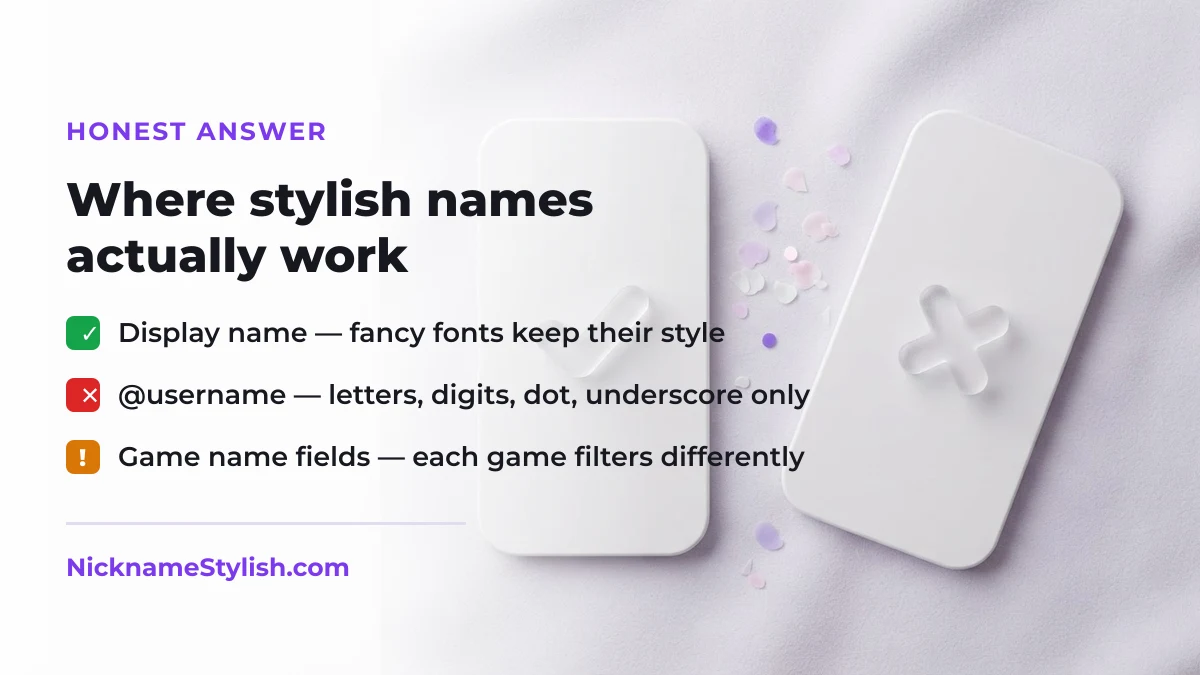
Why Unicode fonts work everywhere
Fancy fonts are not real fonts. Each character is its own Unicode code point, so the shape travels with the text instead of depending on the app. That is why a bold script name keeps its look in a game lobby, a bio or a chat message.
Choosing symbols that pass name filters
Games usually allow brackets, stars and Japanese katakana such as ツ, while blocking zero-width and combining marks. If a name is rejected, remove combining characters first and keep the wrapper symbols.
Nickname length and readability
Names between 6 and 14 characters read best. Long decoration on both sides pushes the readable part out of narrow name fields and leaderboards, so keep one symbol per side for competitive profiles.
Keeping a name consistent across platforms
Pick one wrapper and one font mapping and reuse them everywhere. A consistent pattern makes your name recognisable across clips, streams and friend lists, which matters more than the decoration itself.